



Copyright ©APKPanda. All Rights Reserved
您听说过Tile Shortcuts - Quick settings apps & shortcuts - v1.5.9或True Amps Edge Lighting ❤️ v1.9.1 Premium APK MOD APK, Super Status Bar Gestures, Notifications & more Pro APK v2.4.5 MOD APK, Max Launcher 2021 - free themes and wallpapers, Neon LED Keyboard - RGB Lighting Colors,
Parallel Space Pro v4.0.9090 APK + MOD (Premium 已解锁/Lite)
MOD APK, Pika! Charging show - charging animation,是类别个性化中最酷的应用之一。
当然,您知道并非所有游戏或应用程序都兼容所有手机。游戏或应用程序有时在您的设备上不可用,这取决于系统版本。Android操作系统,屏幕分辨率或国家/地区Google Play允许访问。这就是APKPanda提供Android APK文件供您下载且不遵守这些限制的原因。>
Tile Shortcuts - Quick settings apps & shortcuts - v1.5.9的最新版本为1.5.9,发行日期为2020-10-27,大小为3.8 MB。由Tom Bayley开发,Tile Shortcuts - Quick settings apps & shortcuts - v1.5.9至少需要Android版本Android 7.0+。因此,如有必要,您必须更新手机。
负载量很大,大约有1000次下载。您可以根据需要更新已单独下载或安装在Android设备上的应用程序。更新应用程序使您可以访问最新功能,并提高应用程序的安全性和稳定性。
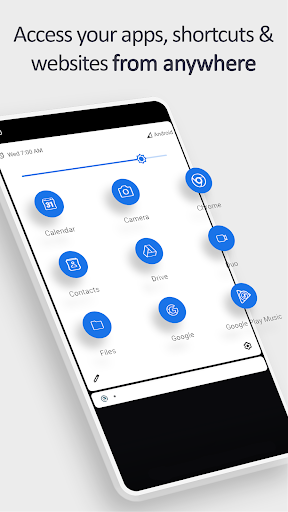
Quickly open your favorite apps, shortcuts, and websites from anywhere at any time, directly from your notification shade!
SHORTCUT TILES
- Apps
- App shortcuts
- Websites
- Intents
- Activities
- Shortcut Folders
TILE CUSTOMIZATION
- Use the real app icon for the icon in the notification panel
- Choose your own icons
- Select an icon from an Icon Pack
- Use actual website icons for website tiles
- Name the Tile whatever you want
TUTORIAL
- youtu.be/420j_OsBLDw
- Create a tile in the app (remember the number under the newly created tile name)
- Open your quick settings panel and tap the edit button
- Move the tile you just created (with the matching number) up into the active section of your quick settings panel
- You can now use the tile!
BOTTOM QUICK SETTINGS & MIUI-ify INTEGRATION
- Tiles created in this app are usable in Bottom Quick Settings and MIUI-ify, allowing you to create custom icons for shortcuts
- Tutorial: youtu.be/JPeDPeBB-9E
How is this app different to other similar apps?
Other apps do not use the real app icon in the quick settings tile.
Instead, they replace the app icon with a letter or generic image.
This app uses the real app icon for the quick settings tile, making it easier for you to identify the apps & shortcuts you want to open.
LINKS
- Tutorial: youtu.be/420j_OsBLDw
- Twitter: twitter.com/tombayleyapps
- Telegram: t.me/TileShortcuts
- XDA forum: forum.xda-developers.com/android/apps-games/app-tile-shortcuts-quick-settings-apps-t4014893
- Email: [email protected]
Version 1.5.9- Bug fixes and small improvements
Show more