

![Téléchargement Mobile C [ C/C++ Compiler ] - Dernière version](https://static.apkmadcdn.xyz/images/com.dztall.ccr.android.admob-icon.png)


Copyright ©APKPanda. All Rights Reserved
Téléchargement SABIS® E-books - v3.6.2

| Package Name | net.sabis.mobilelms |
|---|---|
| Category | Applications, Enseignement |
| Latest Version | 3.6.2 |
| Get it On |

|
| Update | August 21, 2021 (5 years ago) |
Vous avez entendu parler de SABIS® E-books - v3.6.2, ou Miga Town: My World (MOD, All Map Déverrouillé) MOD APK, uLesson - Your Learning App, Mobile C [ C/C++ Compiler ], WordUp Vocabulary, HSK Online — HSK Study and Exams, Dr. Najeeb Lectures Mod APK v1.0.13 MOD APK, l'un des Applications plus cool de la catégorie Enseignement.
Et bien sûr, vous savez que tous les jeux ou applications ne sont pas compatibles pour tous les téléphones. Le jeu ou l'application n'est parfois pas disponible sur votre appareil, cela dépend de la version du système. Système d'exploitation Android, résolution d'écran ou pays auxquels Google Play autorise l'accès. C'est pourquoi APKPanda fournit des fichiers APK Android que vous pouvez télécharger et ne respecte pas ces restrictions.>
SABIS® E-books - v3.6.2 la dernière version est le 3.6.2, la date de sortie 2021-08-20 et la taille 12.9 MB.Développé par SABIS® Educational Services, SABIS® E-books - v3.6.2 nécessite au moins la version Android Android 4.4+. Par conséquent, vous devez mettre à jour votre téléphone si nécessaire.
Assez chargé, environ 1000 téléchargements. Vous pouvez mettre à jour les applications qui ont été téléchargées ou installées individuellement sur votre appareil Android si vous le souhaitez. La mise à jour de vos applications vous donne l'autorisation d'accéder aux dernières fonctionnalités et d'améliorer la sécurité et la stabilité des applications.
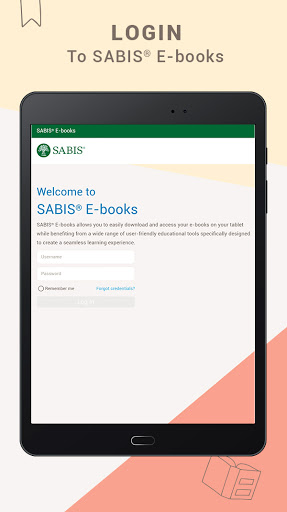
STUDENTS’ COMPREHENSIVE COLLECTION OF SABIS® E-BOOKS IN ONE PLACE!
SABIS® E-books allows students to easily download and access their e-books on their tablets while benefiting from a wide range of user-friendly educational tools specifically designed to create a seamless learning experience for students of all grade levels.
With SABIS® E-books, students can:
• Log in to your bookshelf to view a comprehensive list of e-books.
• Search for a particular e-book and navigate between available subjects.
• Download one or more e-books.
• Access previously downloaded e-books using offline mode.
The SABIS® E-book Reader provides SABIS® students with a variety of tools and features that enhance their learning experience. Aside from viewing and navigating through the contents of an e-book, students can also benefit from:
• Multifunctional Toolbar:
o Access available multi-media resources such as images, videos and animations, audio files, and more.
o Practice interactive computer-correctable questions.
o Search for a specific word or multiple words within an e-book.
o Create and customize white pages and notes to be used as personal notepads.
o Create personalized bookmarks and quickly access them.
• Glossary: view the embedded definitions of a word within the pages of an e-book and listen to the proper pronunciation through the embedded audio.
• Dictionary: view instant definitions including embedded audio for proper pronunciation.
• Draw and Highlight Tools: insert shapes and add annotations in different sizes and colors using a highlighter or a pen.
• Quick Navigation: access different pages of an e-book through the interactive Table of Contents or the built-in “go to” feature.
SABIS® E-books efficiently streamlines the subject knowledge transfer to each student through a modern, user-friendly, and interactive educational experience.
• New Drawing Tool• You can now double tap on the Toggle icon to quickly switch between the last 2 opened books.• Promotion banner for Merriam Webster dictionary added.• Access the book from the downloads page when it is "Text Ready"• Performance enhancements
Show more